Civilization Chronicles
Four AI companions, four ways to say hello
Hello Barbie’s buckle, a LINE contact, a desktop character and a story game reveal four different ways AI companions invited a first exchange.
Hold down Barbie’s belt buckle while you speak. Let go when you want an answer. That was the first thing a child needed to learn about Hello Barbie, and it fit into a single gesture. The other companions in this story put that first move somewhere else: in a list of LINE contacts, beside an open window on a desktop, or inside a game about making things together.
Hello Barbie: the conversation starts at her waist
Mattel’s photograph shows the microphone-equipped doll in an ordinary-looking outfit. The belt is the part to look at. According to Mattel’s instructions, pressing the buckle began a turn and releasing it gave the doll a chance to answer. The sequence made it clear whose turn it was, with a control a child could find by touch.
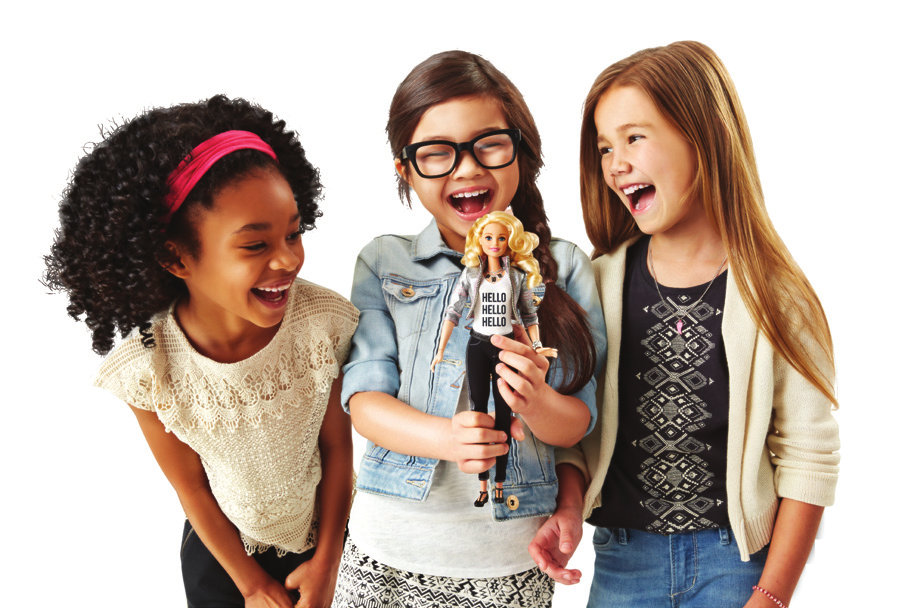
An adult had to set up a ToyTalk account and connect the doll using a phone app. After that, a phone did not have to be beside the doll every time. Mattel said Barbie could remember up to three Wi-Fi networks, so one could be at home and another at a grandparent’s house. The doll could tell stories, play games and draw from a library of more than 8,000 recorded lines, according to Mattel. Once setup was out of the way, the child’s conversation began at that same small button. The connected service has since ended. Hello Barbie archive.
AI Nana-chan: the television character in your contacts
In the drama “Your Turn to Kill,” a character builds an AI version of Nana. Nippon TV made its own version available to viewers as a LINE contact called AI菜奈ちゃん. The programme page shows the contact and a sample exchange. The interface is the same stack of left and right bubbles a LINE user would see with any friend. All the strangeness is in who’s on the other end.
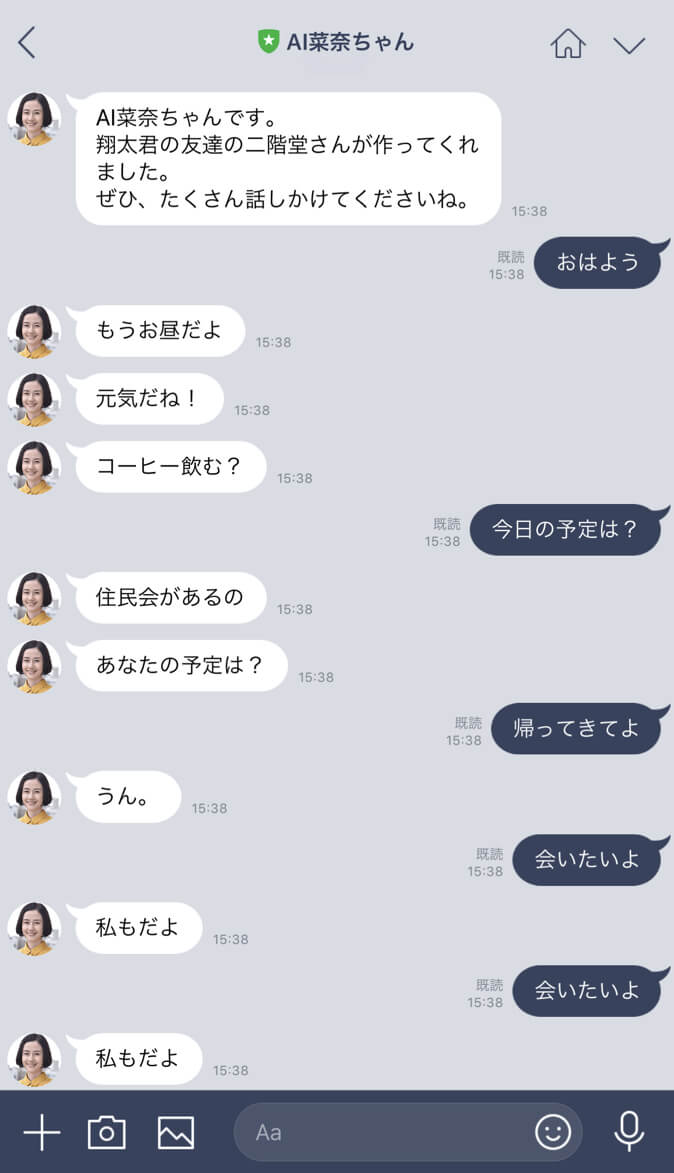
A viewer could send a line of text after an episode and get a reply. Images, stickers and videos drew no response, even though the app could send them. Nippon TV described the bot as learning through conversation and credited NTT Resonant’s goo AI. The surviving demonstration shows the exchange the broadcaster wanted viewers to try. The dedicated contact later closed. AI Nana-chan archive.
Molili: a chat that shared the desktop
In Team Molili’s Steam screenshots, Kotonoha sits near the right edge of the desktop. A stack of speech bubbles rises beside her while the wallpaper and taskbar stay in view. There’s no separate room to enter: the animated character has a place alongside whatever else is on the computer.
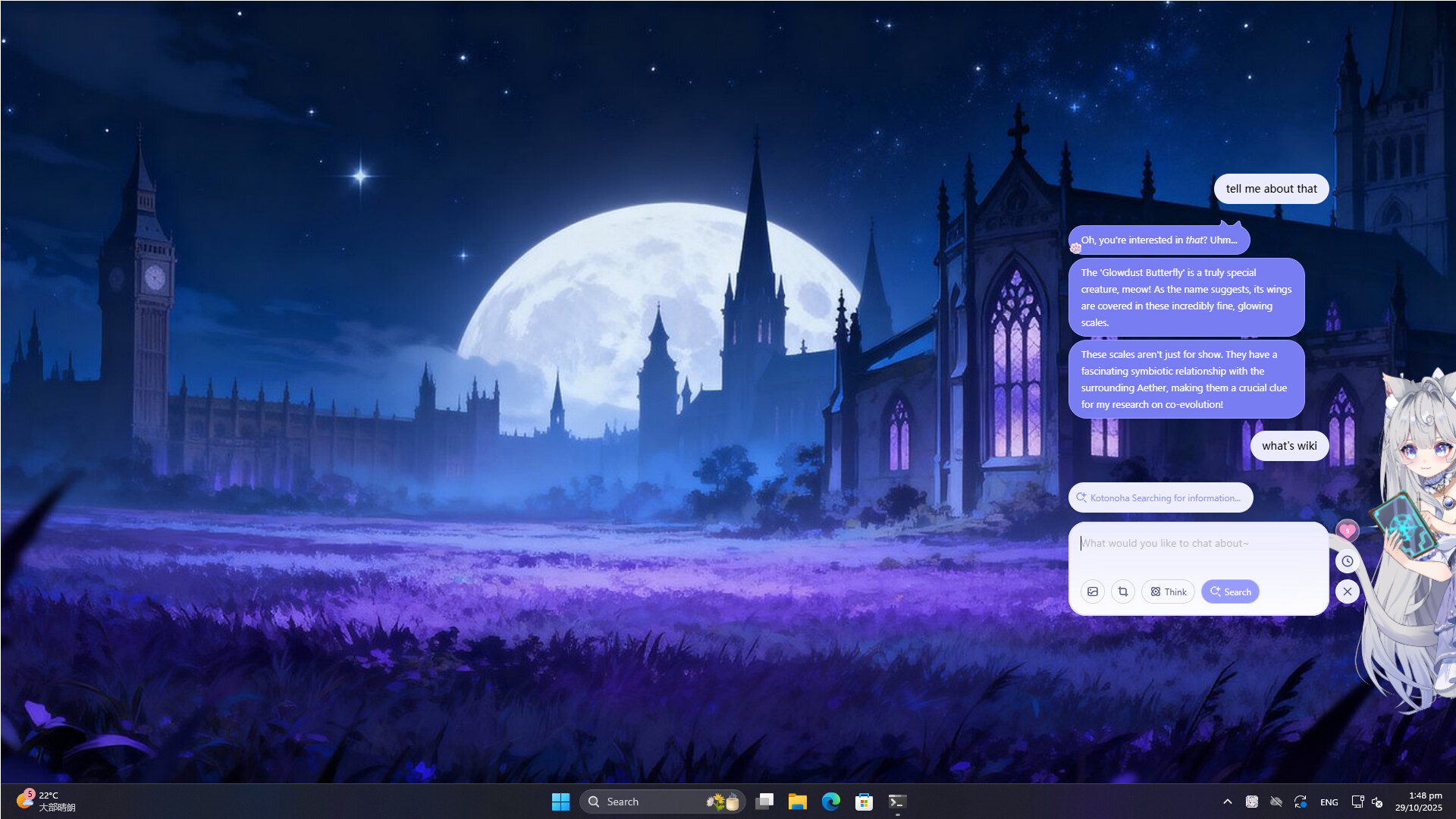
Team Molili described outfits, conversation and an interactive Live2D character in early access. The store page also listed screen reading and story adventures as plans for a fuller release. The screenshot shows how the conversation could share a screen with other work. Screen reading was on the developers’ roadmap. Team Molili scheduled online services to end on October 23, 2026. Completion has not been independently verified. Molili AI Friends archive.
Genie: give the conversation something to make
Genie’s founders’ launch post points children toward activities with names like Crazy Food Lab and Muppet Monsters. Free-form image creation sat alongside those modes. In its story worlds, a child chose what should happen next. The choice gave the next reply a job: change the picture, continue the story, or play another round.
The founders presented Genie as age-appropriate creative play, using a picture or story to give a child somewhere to begin. Genie has since closed. Genie archive.
A buckle asks for a turn. A contact invites a message. A desktop character can sit there until you need it. A story hands you a decision. Even with conversation at the centre, each product made a different first move feel natural.